Just Got a Letter Saying Your Website Isn’t ADA Compliant? Here’s What to Do Next
November 19, 2026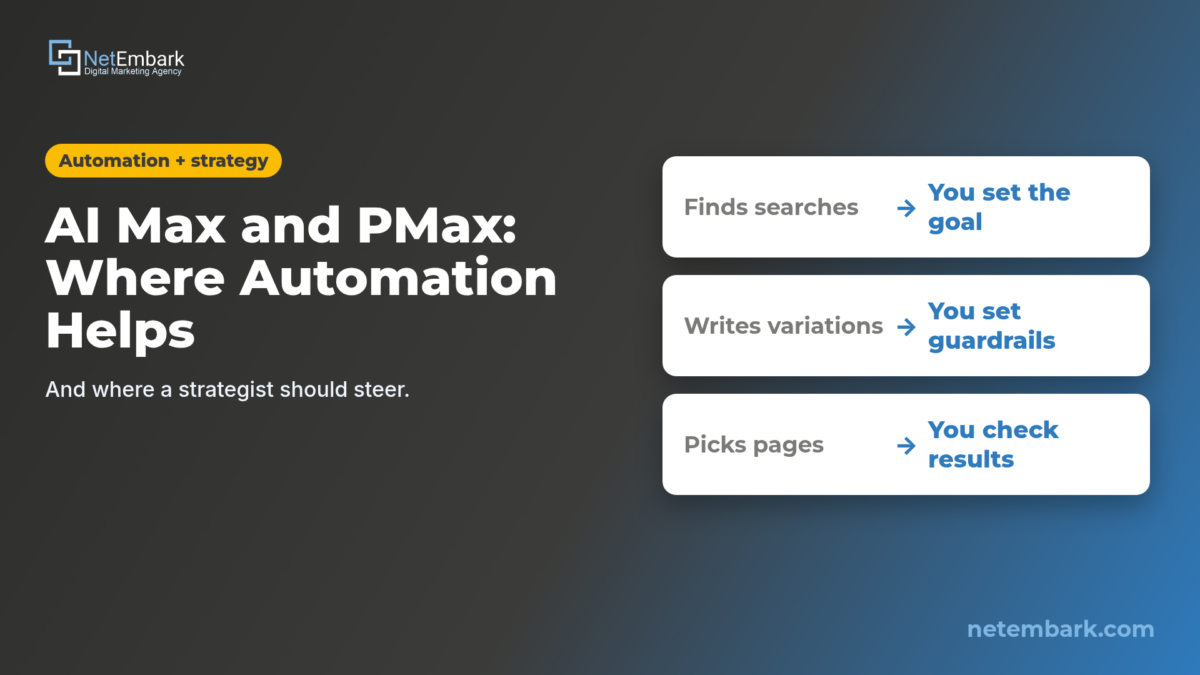
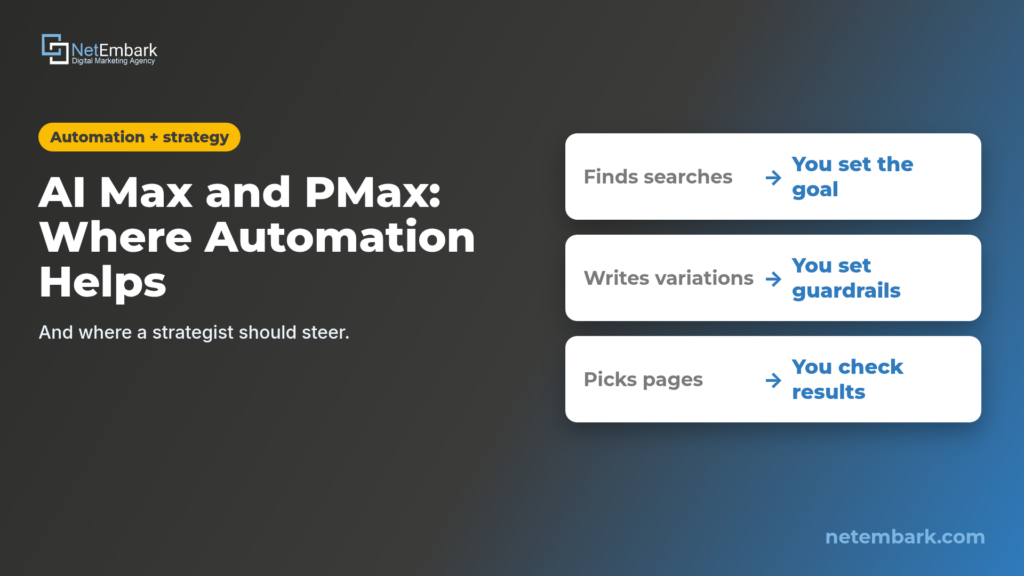
Short answer: AI Max and Performance Max are good at work people can’t do at scale: bidding in every auction, finding searches beyond your keyword list, matching each search to a landing page and testing ad variations. They’re not good at deciding what your business needs. A strategist should own the conversion goal (calls, forms and booked consults, not clicks), the guardrails (negative keywords, brand settings, URL rules, text guidelines), the context the AI can’t learn from your site (search themes), the budget and forecast, and a regular review of the search terms report. Google’s own help pages leave those decisions with the advertiser.
What do AI Max and Performance Max actually automate?
AI Max is a set of AI features inside Google Search campaigns that expands which searches you match, rewrites ad text and can pick a different landing page. Performance Max is a separate, goal-based campaign that runs across all Google Ads inventory from one campaign. Both decide a lot on their own once they’re switched on.
Google describes AI Max as “an optimization layer within existing Search campaigns,” not a new campaign type, and says “New Search campaigns have the AI Max feature turned on by default” (Google Ads Help). Turning it on switches on three things:
- Search term matching, which “uses broad match, asset-based, and landing page-based technology” to reach searches beyond your keyword list (Google Ads Help).
- Text customization, which uses “text from your existing ads, landing page copy, and assets along with generative AI” to write new ad copy (Google Ads Help).
- Final URL expansion, which sends traffic “to the most relevant URLs on your website when it’s likely to result in better performance” (Google Ads Help).
Performance Max (PMax) is broader. Google calls it “a goal-based campaign type that allows you to access all Google Ads inventory, including YouTube, Display, Search, Discover, Gmail, and Maps, from a single campaign.” You supply the goals, assets and signals; Google AI combines them and “automatically optimize[s] based on your goals” (Google Ads Help). For retailers, PMax also covers Shopping inventory, which is part of our Google Shopping work (Google Ads Help).
So the useful question isn’t whether to use automation. It’s which decisions you hand over and which ones someone on your side keeps.
Video transcript
- AI Max and Performance Max: where automation helps, and where a strategist should steer.
- Google says new Search campaigns have AI Max turned on by default, including search term matching, text customization and Final URL expansion.
- Automation is good at scale: finding searches beyond your keyword list, matching landing pages and testing ad combinations in every auction.
- But it optimizes toward the conversions you give it. Count calls, forms and booked consults, not clicks.
- Steer with guardrails: negative keywords, brand exclusions, URL exclusions and text guidelines.
- Give Performance Max what it can't learn from your site. Google calls search themes the unique knowledge you have about your business.
- Then check the work: the AI Max match type and source column in the search terms report, and the Performance Max search terms report.
- Want AI Max and Performance Max steered toward real leads? Visit netembark.com, call 800-707-2697, or email info@netembark.com.
Where does automation genuinely help?
Automation helps with work that’s too fast or too big for people: bidding in every auction, finding search terms you didn’t think of, matching each search to a better page, and testing ad combinations at scale. Google built AI Max and PMax for exactly that, and it’s hard to match by hand.
- Auction-time bidding. Smart Bidding uses “Google AI to optimize for conversions or conversion value in every auction” (Google Ads Help). No person can adjust bids per search, per device, per moment.
- Finding new searches. AI Max learns “from your current keywords, creatives and URLs” to capture “queries and conversions you might otherwise miss” (Google Ads Help). For businesses with many services or long-tail questions, that’s real coverage a keyword list can miss.
- Matching pages and copy. Final URL expansion “will only send traffic to URLs that are query relevant and themed to your ad group,” and text customization writes copy to match the page (Google Ads Help).
- Reach across channels. PMax can serve on Search, YouTube, Display, Discover, Gmail and Maps from one campaign, and Google lists “insights, like rising search trends and asset reporting” among its benefits (Google Ads Help).
Google also publishes its own results claim: “Advertisers that activate AI Max in Search campaigns will typically see 14% more conversions or conversion value at a similar CPA/ROAS,” citing Google internal data from 2025 for non-retail advertisers (Google Ads Help). That’s Google’s average, not a promise for any one account. Whether it holds for you depends on the inputs, which is where strategy comes in. We covered the on/off decision in detail in should you turn on AI Max for Google Search campaigns.
Where should a strategist steer?
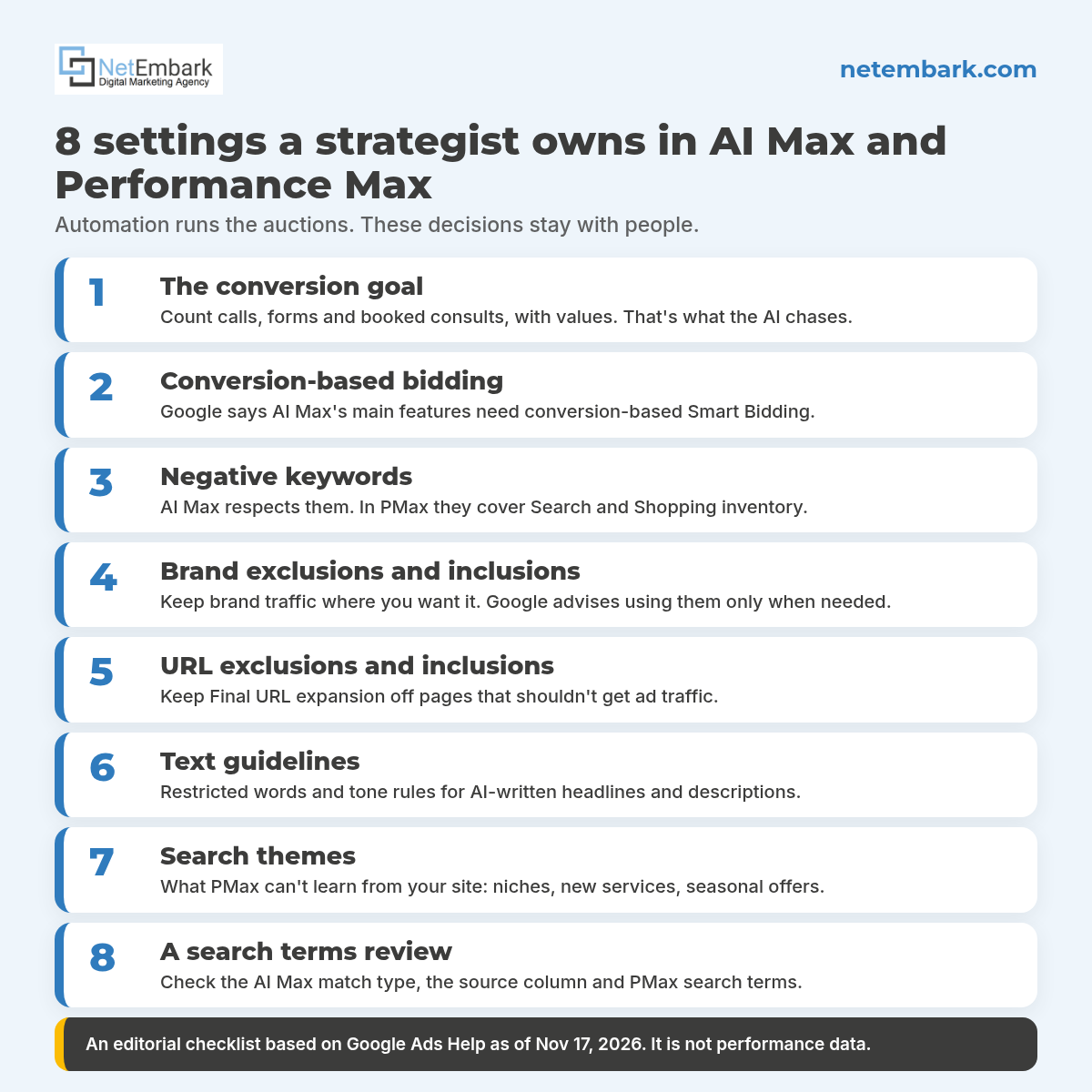
A strategist owns the inputs and the guardrails: what counts as a conversion, which searches and brands are off-limits, which pages can receive traffic, what the AI is allowed to say, what it can’t learn from your site, and whether the budget and forecast make sense. Google’s own help pages put these decisions on the advertiser.
| Decision | What the automation does | What the strategist sets |
|---|---|---|
| Which searches you show for | Expands past your keywords with broad match and keywordless matching | Negative keywords, brand settings and a regular search terms review |
| What counts as a result | Bids toward whatever conversions are tracked | A lead definition (calls, forms, booked consults) with values, set before launch |
| Ad copy | Writes headlines and descriptions from your site, ads and assets | Text guidelines, accurate landing pages, and removing generated assets that miss |
| Landing pages | Final URL expansion picks the page it predicts will perform best | URL exclusions and inclusions, plus tracking templates that won’t break dynamic pages |
| Brand traffic | Can serve on your own and other brands’ searches | Brand exclusions or a separate brand Search campaign, used only where needed |
| Business context | Learns from your website, assets and feeds | Search themes for niches, new services and seasonal offers the site doesn’t cover |
| Budget | Spends the daily budget it’s given | A forecast, a budget that isn’t capping the campaign, and monthly checks against leads |
| Judging results | Reports clicks, impressions and conversions | Leads and cost per lead, with conversion data ranked above clicks |
A few of these deserve more detail:
- The conversion goal comes first. Google says AI Max’s search term matching, Final URL expansion and text customization “require conversion-based Smart Bidding strategies in order to function effectively” (Google Ads Help), and that some Smart Bidding strategies “rely on a minimum volume of historical conversion data” (Google Ads Help). If the account counts page views or soft actions as conversions, the AI will chase those. We set calls, forms and booked consults as the goal.
- Negative keywords still work. Google’s AI Max FAQ says “Negative keywords will be respected even with AI Max turned on” (Google Ads Help). In PMax, negatives “are applicable to Search and Shopping inventory only,” and account-level negatives apply across campaigns (Google Ads Help). Our negative keywords guide for plumbers shows what a starting list looks like.
- Brand settings are a scalpel, not a default. Brand exclusions keep a campaign off searches for brands you choose, and brand inclusions limit a Search campaign to them. Google recommends using brand settings “only for campaigns that really need them so as not to limit your conversion opportunities” (Google Ads Help). How you handle your own brand searches next to PMax is a strategic call (does PMax need a brand Search campaign).
- Landing pages and copy need rules. URL exclusions keep Final URL expansion away from pages you don’t want ads to reach, and text guidelines let you set “restricted words or phrases” and “messaging restrictions” for AI-written text (Google Ads Help). For PMax, Google adds that “you remain responsible for reviewing and ensuring compliance and accuracy of landing page content, and all dynamically generated assets” (Google Ads Help).
- Know the trade-offs before you flip a switch. With Final URL expansion on, “pinning of RSA assets will not be respected,” and tracking templates that don’t use the {lpurl} tag correctly can send people to broken pages (Google Ads Help). Google also notes “AI Max won’t be effective if campaigns are limited by budget.”
- Give PMax what it can’t know. Google describes search themes as “the unique knowledge you have about your business or product that AI can’t easily know from your landing page, creative assets, or feeds,” and suggests up to 50 per asset group (Google Ads Help). New services, niche offers and seasonal pushes belong here.
- Understand which campaign wins. A Search keyword that exactly matches the search is preferred over PMax; otherwise the campaign with the higher Ad Rank serves (Google Ads Help). Account structure decides where your traffic lands.
Talk to Netembark about steering AI Max and Performance Max → · Call (800) 707-2697
How do you check what the automation did?
Read the reports Google built for it: the search terms report (with the AI Max match type and source column), the Keywords and Landing pages reports for AI Max, and the Performance Max search terms report and search themes indicator. Then compare the results to your lead records, not just to clicks.
- AI Max. Google says the search terms report “Includes ‘AI Max’ as a new match type” plus “a source column that shows if the match is because of broad match expansion or keywordless matching,” a view combining search term, headline and URL, “AI Max” summary rows in the Keywords report, and a “Selected by” column in the Landing pages report (Google Ads Help).
- Performance Max. The “Search terms and landing pages for Performance Max” view shows the searches, landing pages and ad formats behind your ads, with data from March 2023 on. Google advises: “Prioritize conversion data over clicks and impressions when you evaluate performance max campaign performance” (Google Ads Help).
- Search themes. Google’s PMax evaluation guide points to a “search themes usefulness indicator” that shows whether your themes add traffic “on top of what Performance Max would find on its own,” and says to “keep monitoring performance to make sure your exclusions are not limiting your reach” (Google Ads Help).
- Your own lead data. Reports show what the AI did. Whether it worked shows up in calls, forms and booked consults against the forecast. We build those forecasts with AI-assisted analysis and Google’s planning tools (how AI turns Google Ads data into forecasts).
How does this fit the AI-era agency model?
In the old model, agency hours went into manual execution: keyword lists, bid changes, ad copy, reports. In the AI-era model, the platforms do much of that execution, so the agency’s job moves to strategy: setting goals and guardrails, orchestrating the AI tools, forecasting, and pulling data from every channel into one picture of leads.
We describe four shifts in what an AI-era ad agency does differently, and each one shows up inside AI Max and PMax:
- Execution to strategy: fewer hours on manual bids and copy; more on goals, guardrails, forecasts and reading what the AI did.
- Volume to authority: AI Max and PMax write ads from your pages, so clear, accurate, sourced pages matter more than a pile of thin ones (why mass AI blog posts won’t help). The same pages help you show up in Google’s AI answers (how to check).
- Fragmented to omnichannel: Google, Meta, Microsoft and ChatGPT ads each have their own automation. Pointed at one lead definition, they work as one system instead of four (ads as one system).
- Traffic metrics to revenue metrics: automated campaigns can look busy on clicks and impressions. Judge them on calls, forms and booked consults.
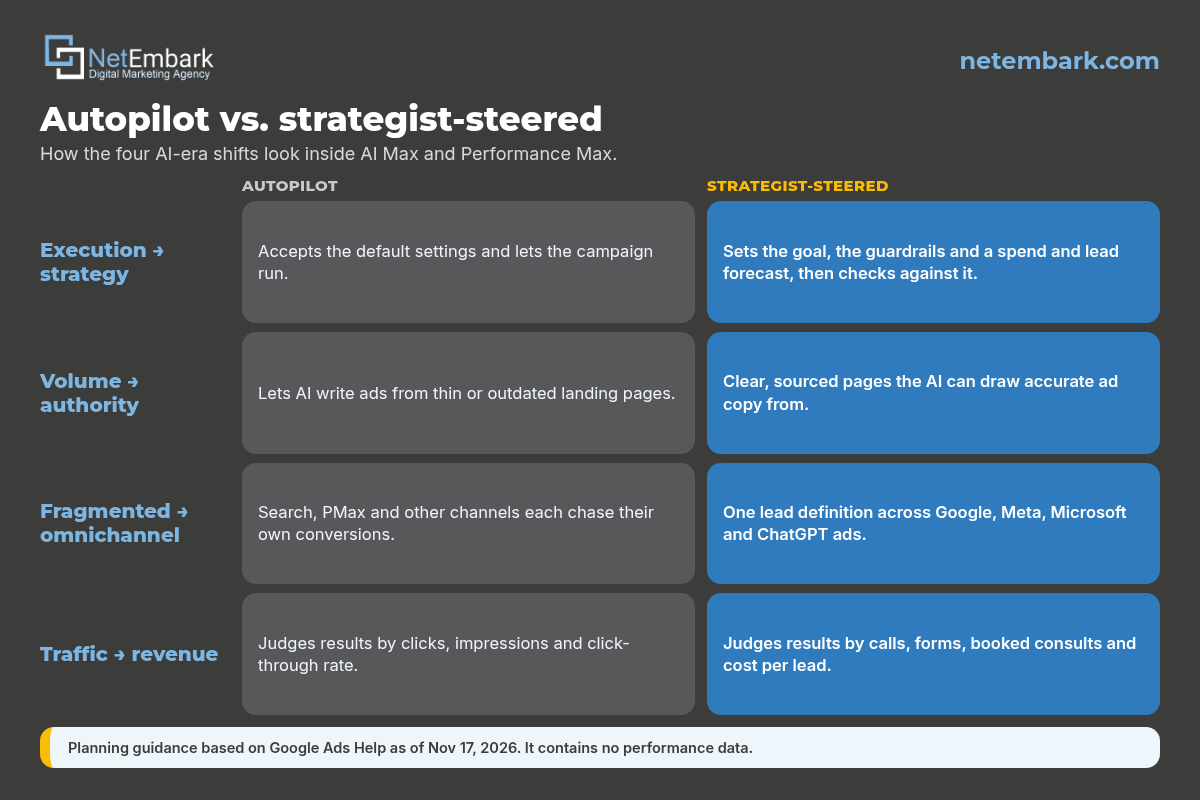
Ads are also moving into Google’s AI experiences, which adds more automated placements to steer (are Google ads showing in AI Mode).
How does Netembark steer AI Max and Performance Max?
We set the lead definition and the forecast first, then use AI Max, PMax and Smart Bidding to do the high-volume work inside guardrails we set and review. People own the strategy; automation handles the auctions. Campaigns run on Netembark’s managed ad accounts, and we report on calls, forms and booked consults.
- Google Ads: Search with AI Max where it fits, Performance Max with search themes, negatives and brand rules, and regular search terms reviews (Google Ads management).
- Meta, Microsoft and ChatGPT ads: planned with Google as one system with one lead definition (paid social).
- SEO and AEO: answer-first, sourced pages that rank, get cited in AI answers and give ad automation accurate copy to draw from (SEO & AEO).
- Web design: fast, conversion-ready landing pages with lead tracking that works with dynamic URLs (web design).
- Results framing: On average, Netembark’s paid campaigns generate a 12–16% conversion rate (12–18% for medical clients), counting calls, forms and booked consultations. That’s an average across campaigns, not a guarantee.
Related: should you turn on AI Max, does Performance Max need a brand Search campaign, AI agents in your marketing and how Google Ads will change in 2027. We’re headquartered at 42 E Main St, Suite 202, Freehold, NJ 07728, with offices in New York and Florida. Learn more about Netembark.
Frequently asked questions
Is AI Max a new campaign type?
No. Google describes AI Max as an optimization layer inside existing Search campaigns. It adds search term matching, text customization and Final URL expansion, and Google turns it on by default in new Search campaigns.
What is the difference between AI Max and Performance Max?
AI Max works inside Google Search campaigns and keeps the Search campaign structure. Performance Max is a separate goal-based campaign that can serve across Search, YouTube, Display, Discover, Gmail and Maps from one campaign.
Does AI Max respect negative keywords?
Yes. Google's AI Max FAQ says negative keywords are respected with AI Max turned on. In Performance Max, negative keywords apply to Search and Shopping inventory only.
Can you control what AI Max and Performance Max write in ads?
Partly. Text guidelines let you set restricted words and messaging rules, you can remove generated assets, and you can turn off text customization. Google says you remain responsible for the accuracy of dynamically generated assets.
What are search themes in Performance Max?
Search themes are words and phrases you give Performance Max about what customers search for. Google suggests up to 50 per asset group, for knowledge the AI can't easily learn from your website, assets or feeds.
How do you see which searches AI Max or Performance Max matched?
In the search terms report. AI Max searches show an AI Max match type and a source column. Performance Max has a Search terms and landing pages for Performance Max view.
Should you use brand exclusions in Performance Max?
Only if a campaign needs them. Brand exclusions keep PMax off searches for chosen brands on Search and Shopping, but Google warns brand settings limit reach and recommends using them only where needed.
Does automation replace a Google Ads strategist?
No. Automation handles bidding, matching and ad variations at scale. A strategist still sets the conversion goal, guardrails, budget and forecast, and checks the results against real leads.
How does Netembark manage AI Max and Performance Max?
Netembark sets the lead definition and forecast first, then steers AI Max, Performance Max and Smart Bidding with negatives, brand rules, URL rules and search themes, and reports on calls, forms and booked consultations.
Want AI Max and Performance Max steered toward real leads? Talk to Netembark, a verified Google Partner and Google Premier Partner 2016–2023. Contact Netembark, email info@netembark.com, or call (800) 707-2697.
How we made this guide: drafted with AI assistance, checked against the Google Ads Help pages cited below, and reviewed by Netembark before publishing. Features change; this is planning guidance, not a guarantee.
Sources (read November 17, 2026): Google Ads Help, About AI Max for Search campaigns. Google Ads Help, How AI Max for Search campaigns works. Google Ads Help, Set up AI Max for Search campaigns. Google Ads Help, Frequently asked questions about AI Max for Search campaigns. Google Ads Help, About Performance Max campaigns. Google Ads Help, About search themes. Google Ads Help, Negative keywords in Performance Max campaigns. Google Ads Help, About brand settings for Search and Performance Max. Google Ads Help, About the search terms report in Performance Max. Google Ads Help, Evaluate Performance Max results. Google Ads Help, How Performance Max interacts with other campaigns in your account. Google Ads Help, About Smart Bidding.
Netembark LLC · Verified Google Partner · Google Premier Partner 2016–2023 · 42 E Main St, Suite 202, Freehold, NJ 07728 · (800) 707-2697 · info@netembark.com · @netembark
Want help with your Google Ads?
Book a free strategy call with our verified Google Partner team. We’ll review your account and show you where the leads are.

Gary Pyatigorsky is the founder and CEO of Netembark, a verified Google Partner agency (Google Premier Partner 2016–2023) managing Google Ads, SEO and AEO since 2009.